How to set an Abiotic Factor server password
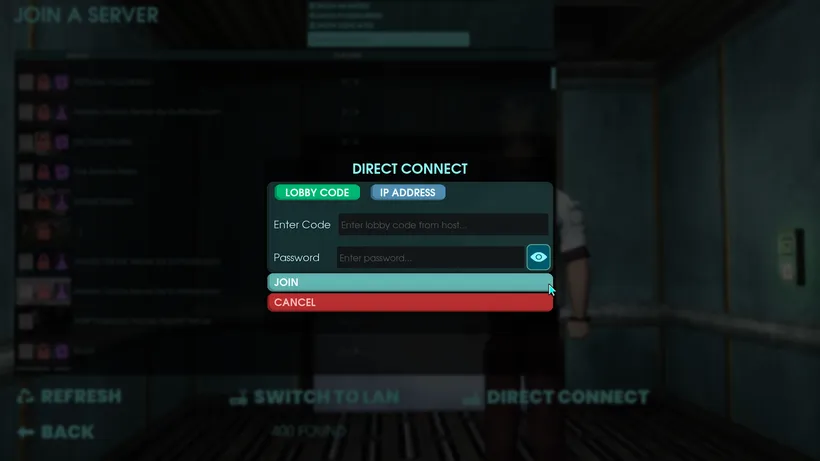
By default, your Abiotic Factor server is open to the public. You can change this by setting a password. This guide will show you how to do that in a few simple steps.
Setting a password
- Start your server
- Pause your server
- Open your server’s files
- Edit the
gameserver/server_arguments.txtfile - Find the line saying
#-ServerPassword="PleaseChangeMe" - Remove the
#at the beginning of the line - Replace
PleaseChangeMewith your desired password - Save the file
- Restart your server
Example config file
Here is an example of what your server_arguments.txt file could look like if you set your password to YourSuperSecurePassword:
# The server name shown in the server browser
-SteamServerName="Free Squadnox Abiotic Factor Server"

# The server password, the server is public without one
# Remove the # in front of the line below to set a password, it is disabled by default
-ServerPassword="YourSuperSecurePassword"

# The maximum number of players (1 to 24, more than 6 is not recommended)
-MaxServerPlayers=6

# The world save folder in AbioticFactor/Saved/SaveGames/Server/Worlds/ (advanced)
-WorldSaveName="Cascade"

# The game and query ports (advanced)
-PORT=7777
-QueryPort=27015
Removing the password
To make your server public again, put the # back in front of the -ServerPassword line.
Do not just leave the password empty, because Abiotic Factor refuses to join servers with an empty password.